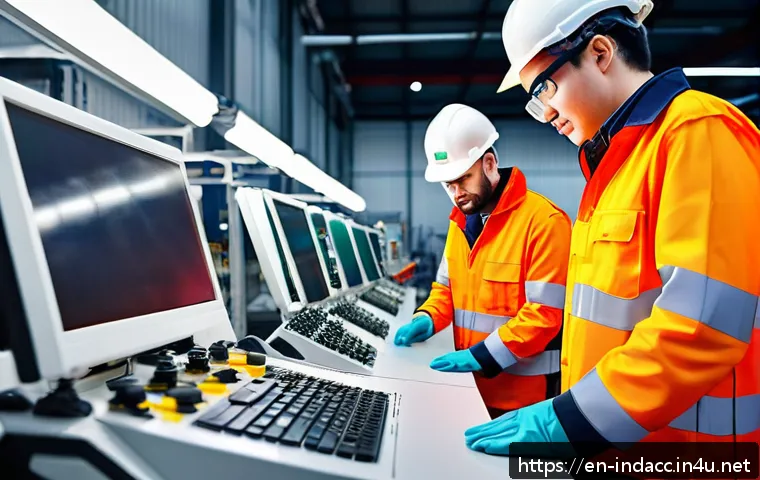
The most useful workplace injury prevention technologies depend on the risk you need to manage: connected wearables can support high-risk and lone-worker monitoring, sensors can identify changing environmental conditions, and VR or simulation can strengthen task training.
Computer vision, industrial IoT, drones, and EHS software are most valuable when they are connected to a clear response process rather than deployed as stand-alone tools.

For EHS teams, the practical buying question is not which system has the most features, but which one fits the work environment, workforce, privacy expectations, and existing safety process.
Enterprise safety software and monitoring devices may help surface leading indicators, but outcomes vary with adoption, training, coverage, and follow-through.
Compare total implementation requirements before requesting proposals.
At a Glance
- Proactive hazard detection: Industrial IoT sensors and computer vision can help identify changing conditions, restricted-area exposure, and equipment-related risks.
- High-risk task monitoring: Connected wearables and lone-worker tools may support incident response where workers operate alone or face changing site conditions.
- Training and reporting: VR, AR, and safety management software can support practice, documentation, reporting, and follow-up workflows.
| Technology | Best-Fit Use | Deployment Effort | Data and Privacy Considerations | Typical Cost Drivers |
|---|---|---|---|---|
| Connected wearables | Lone workers, high-risk tasks, location-aware alerts | Device distribution, charging, worker onboarding | Location, activity, and possible biometric data policies | Hardware, connectivity, software subscription, support |
| Computer vision | Restricted areas, site movement, visible unsafe conditions | Camera placement, network access, workflow setup | Video retention, access controls, transparency | Cameras, installation, analytics platform, integration |
| Industrial IoT sensors | Equipment, air quality, noise, temperature, environmental hazards | Coverage planning, installation, calibration, maintenance | Operational data ownership and retention | Sensors, gateways, connectivity, maintenance |
| VR and AR training | Hazard recognition and repeatable task practice | Content selection, trainer time, device management | User accounts and training-record controls | Headsets, content licenses, administration, support |
| EHS software | Incident reporting, inspections, corrective actions, analytics | Process mapping, data migration, user training | Role-based access, retention, reporting governance | Subscription, configuration, integrations, support |
Which Technologies Are Changing Workplace Injury Prevention?
The strongest workplace safety technology programs connect detection, reporting, and corrective action. A device or dashboard can produce useful signals, but it does not reduce risk by itself. Before investing, define who receives an alert, what they must verify, and how the outcome is recorded.
Connected Wearables and Lone-Worker Protection
Connected wearables can support workers who operate alone, move across large sites, or perform tasks where fast escalation matters. Depending on the product, a wearable monitoring device may support check-ins, location-aware functions, or alerts. Evaluate device comfort, battery management, coverage, training requirements, and escalation procedures before selecting a platform.
Wearables also require careful communication. Workers should understand what data is collected, why it is needed, who can access it, and what happens after an alert. Privacy, labor, union, biometric-monitoring, and retention requirements depend on local rules and workplace policy.
Computer Vision for Unsafe Behaviors and Restricted Areas
Computer-vision systems can use cameras and analytics to help identify visible conditions, movement near restricted areas, or patterns that require review. They may fit entrances, loading zones, production areas, and other locations where a supervisor cannot observe every activity continuously.
Placement is critical. Poor camera angles, gaps in coverage, weak connectivity, or unclear alert settings can make a system less useful. A practical evaluation should include what the system can observe, what it cannot reliably interpret, and how human review will occur. Video monitoring also needs clear access controls and retention rules.
IoT Sensors for Equipment, Air Quality, Noise, and Environmental Hazards
Industrial IoT sensors can monitor equipment conditions and environmental factors such as air quality, noise, temperature, or other site-specific hazards. Their value is highest when readings trigger a defined response: inspect equipment, pause a task, notify responsible staff, or document a corrective action.
Ask vendors how sensor coverage, calibration, connectivity, maintenance, and data exports are handled. A sensor network with incomplete coverage may create false confidence. The key question is not simply whether data appears in a dashboard, but whether teams can act on it quickly and consistently.
VR, AR, and Simulation-Based Safety Training
VR and AR training can create a structured way to practice hazard recognition and task decisions without placing trainees in the real hazard. They may be especially useful when the task is difficult to demonstrate repeatedly or conditions are hard to recreate during routine training.
Training technology should complement, not replace, site-specific supervision and hands-on instruction. Review content relevance, accessibility, instructor involvement, recordkeeping, and refresher processes. A polished simulation has limited value if it does not match the equipment, procedures, and risks workers face.
Drones and Remote Inspection Tools for Hazardous Locations
Drones and remote inspection tools can help teams inspect elevated, remote, or otherwise hazardous locations without sending a worker directly into the exposure area. They can be useful for visual assessments where access changes frequently or where an initial inspection can be performed remotely.
Use them within a defined inspection process. Clarify who reviews footage, how findings become work orders or corrective actions, and what still requires an in-person assessment. Operational requirements for drone use must be confirmed for the specific location and jurisdiction.
Compare Safety Technology by Risk, Workforce, and Investment Level
Choose technology by the risk you need to improve, not by the category receiving the most attention. A warehouse, construction site, manufacturing plant, and field operation may all need different combinations of tools.
Best-Fit Use Cases for Construction, Warehousing, Manufacturing, and Field Service
Construction teams may prioritize changing-site visibility, remote inspection, and clear communication across temporary crews. Warehousing may focus on vehicle-pedestrian separation, movement patterns, ergonomic exposure, and incident reporting. Manufacturing plants may benefit from equipment and environmental sensing, training records, and integration with EHS software. Field service organizations may place more weight on lone-worker protection, connectivity, and reliable escalation.
Start with a narrow use case. For example, improve reporting for a recurring near miss, strengthen coverage for isolated workers, or standardize inspection follow-up. A targeted pilot is usually easier to evaluate than a broad deployment with multiple unclear goals.
Upfront Costs Versus Subscription, Support, and Integration Costs
The headline hardware price is only one part of the total cost. A complete evaluation separates hardware, subscriptions, installation, integration, training, administration, replacement devices, maintenance, and ongoing support. Safety management software may also require configuration, data migration, and internal process ownership.
Pricing, implementation timing, device durability, and support terms vary by provider. Request these details directly rather than assuming that a low initial quote represents the lower long-term commitment.
When a Lower-Tech Process Improvement May Deliver Better Value
Technology is not always the first answer. Clearer signage, better housekeeping, improved equipment maintenance, a revised workflow, supervisor coaching, or a simpler reporting process may address a known gap more directly. If teams do not have a consistent response to existing reports, adding more alerts can increase workload without improving control.
How to Build a Practical Safety Technology Business Case
A useful business case links a technology investment to a specific risk-control process. Avoid broad promises such as “improve safety.” Instead, identify what needs to be detected earlier, reported more consistently, or escalated faster.
Define the Injury Risks, Near Misses, and Leading Indicators to Improve
List the tasks, locations, conditions, and recurring near misses that need attention. Then define a small group of leading indicators, such as inspection completion, corrective-action closure, alert review, training completion, or repeated exposure patterns. The right indicators depend on the work environment and should be interpreted in context.
Estimate Deployment Scope, Training Time, and Internal Ownership
Map who will wear, operate, review, maintain, and administer the system. Consider shift patterns, contractor access, charging or storage needs, language needs, and worker onboarding. Assign a clear internal owner for the pilot and a backup person for operational continuity.
Evaluate Reporting, Analytics, and Compatibility with EHS Systems
Safety technology should fit the reporting process your team already uses or plans to improve. Check whether data can be reviewed in a practical format, whether corrective actions can be assigned, and whether the platform can work with existing EHS software, incident reporting, inspection, and maintenance workflows. More data is not automatically better; useful data must support a decision or action.
Implementation Risks That Can Undermine a Safety Technology Rollout
Implementation often determines whether a workplace safety platform becomes a trusted tool or an unused expense. The most common problems are not always technical; they are often communication, ownership, and workflow problems.
Worker Privacy, Transparency, and Consent Considerations
Explain the purpose and boundaries of monitoring before deployment. Workers need clear answers about collected data, access, retention, sharing, and how information may be used. Obtain appropriate internal, legal, labor, and policy review for the workplace and location. Do not treat a vendor feature as proof that a use case is appropriate.
Alert Fatigue and Unclear Escalation Procedures
Too many low-value notifications can cause important alerts to be missed. Configure alerts around meaningful conditions and define response ownership by shift or role. A simple escalation map should state who receives the alert, who verifies it, what action is expected, and how closure is documented.
Poor Data Quality, Unreliable Connectivity, and Incomplete Coverage
Sensor accuracy, battery life, connectivity, camera visibility, and integration reliability differ by vendor and deployment model. Test real conditions during a pilot: noise, dust, movement, weather, signal strength, charging routines, and changing site layouts. Do not assume a successful demonstration reflects field performance.
Treating Technology as a Substitute for Training, Maintenance, or Supervision
Technology can strengthen a safety system, but it does not replace competent supervision, equipment maintenance, training, or hazard controls. Keep the technology program connected to established safety responsibilities and review whether it improves the real work process.
Technology Choices by Workplace Scenario
High-Noise, High-Motion Production Floors
Production floors may need tools that remain usable around moving equipment, noise, and shift changes. Consider industrial IoT sensors for relevant environmental or equipment conditions, along with EHS software that turns observations into assigned actions. Confirm that alerts can be noticed and acted on in the actual work environment.
Remote Workers, Isolated Sites, and Lone-Worker Exposure
For remote or isolated work, connected wearables and lone-worker solutions may be worth evaluating when they support a defined check-in and response process. Review network coverage, battery routines, emergency escalation, worker training, and the privacy implications of location or activity data.
Repetitive-Motion and Ergonomic Risk Environments
Ergonomic risk work often benefits from careful task review, worker input, and process improvement. Monitoring technology may help identify patterns, but it should not replace observation of workstation design, task rotation, material flow, and training. Use collected information to guide practical changes rather than simply creating more reports.
Temporary Worksites and Changing Construction Conditions
Changing construction conditions may make fixed coverage difficult. Mobile inspection tools, drones, and flexible reporting platforms can support visibility, but coverage plans should be updated as the site changes. Build procedures for contractors, temporary crews, device handoff, and rapid orientation.
Selection Criteria and Comparison Summary
Before comparing proposals, check whether each option addresses a defined risk, fits the work environment, and has a workable response process. Review coverage limitations, data collection practices, integration needs, training effort, support ownership, and total ongoing cost. During vendor demonstrations, ask to see how alerts are configured, how data is corrected, how actions are assigned, and how the platform works with unreliable connectivity or changing sites. Compare implementation requirements before requesting proposals. Official product pages and vendor documentation are the right places to confirm technical conditions, privacy controls, support terms, and integration options.
In Closing
The best workplace injury prevention technology is the one that supports a real safety decision and a timely response. Start with a clearly defined risk, test the workflow in real conditions, and involve the people who will use the system every day. A smaller, well-managed pilot can reveal whether an enterprise safety platform, wearable device, industrial IoT sensor, or training tool fits the operation. Keep privacy, worker communication, and internal ownership central to the decision.
Useful Information to Keep in Mind
First: Build a response workflow before collecting more safety data. Second: Include frontline workers and supervisors in the evaluation. Third: Compare total operating requirements, not only the purchase price. Fourth: Test real site conditions during a pilot. Fifth: Review whether lower-tech controls could solve the problem first.
Important Considerations
Actual injury-prevention results vary by work environment, workforce adoption, training quality, and integration into existing safety processes. Device accuracy, battery life, sensor coverage, software compatibility, pricing, implementation schedules, and support costs require direct confirmation from providers. Privacy, labor, union, biometric-monitoring, and data-retention obligations depend on local law and workplace policy.
Frequently Asked Questions
Q1. What workplace safety technology is most useful for preventing industrial injuries?
A1. There is no single best option for every workplace. Wearables may fit lone-worker or high-risk task monitoring, industrial IoT sensors may fit environmental or equipment-related hazards, computer vision may support selected visible-risk areas, and EHS software may improve reporting and corrective-action workflows. Start with the specific risk and response process you need to improve.
Q2. How much should a company budget for safety wearables, sensors, or EHS software?
A2. Budgeting should include more than hardware or subscription fees. Include installation, connectivity, integrations, training, administration, maintenance, replacement needs, and ongoing support. Pricing and implementation requirements differ by vendor and deployment model, so request detailed scope information directly.
Q3. Are employee-monitoring safety technologies safe and appropriate for every workplace?
A3. Not necessarily. Appropriateness depends on the risk, the information collected, workforce expectations, and applicable privacy, labor, union, biometric, and data-retention requirements. A transparent policy, limited-purpose data collection, appropriate access controls, and a clear safety response process are essential evaluation points.